SAM.gov registration is the required first step for any business that wants to pursue federal contracts, grants, or cooperative agreements. This guide covers the complete SAM.gov registration process in plain English — from Login.gov setup and UEI assignment through entity validation, Reps & Certs, banking setup, renewal, and the most common errors that cause delays. Use it as your reference hub, and follow the linked deep-dive articles when you need detail on any specific step.
New to federal contracting entirely? Start with the federal contracting guide for beginners for context on how the procurement system works before you register.
On this page Jump to section
What Is SAM.gov Registration?
SAM.gov (System for Award Management) is the U.S. government's official vendor registration database, managed by the General Services Administration (GSA). Registering your business creates an Active entity record, assigns your Unique Entity Identifier (UEI), and establishes the compliance foundation required to receive federal contract awards and payments. Registration is required for any business pursuing prime federal contract awards or grants above the micro-purchase threshold.
The 9-Step SAM Registration Process at a Glance
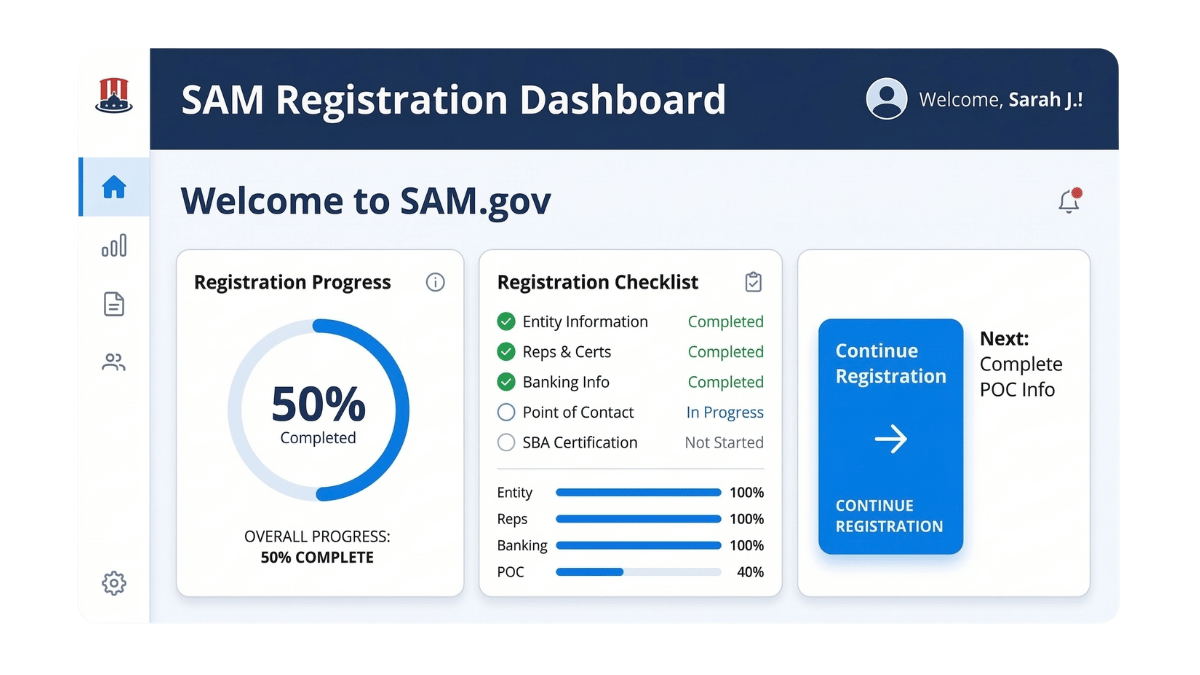
- Create a Login.gov account (business email + MFA)
- Start entity registration in SAM.gov
- Enter legal entity name and physical address
- Complete entity validation
- Confirm your UEI number
- Add NAICS codes and business classification details
- Complete Representations and Certifications (Reps & Certs)
- Add EFT / banking information for payments
- Review, submit, and track your registration status
The sections below walk through each step in detail — including what to prepare in advance, where registrations commonly stall, and how to recover if something goes wrong.
What SAM.gov Is (and What It Is Not)
SAM.gov is a compliance and vendor management system, not a marketplace. Its core function is to create a standardized, verified record of your business so federal agencies can confirm your entity's identity, check eligibility, and set up payment workflows when an award is made.
Understanding what SAM.gov does — and doesn't do — saves time and prevents misaligned expectations:
- SAM.gov does: verify your business entity, assign your UEI, enable you to receive contract awards and grants, store your banking information for federal payments, and host your Representations and Certifications under the Federal Acquisition Regulation (FAR).
- SAM.gov does not: send you contract opportunities, guarantee awards, replace a bidding strategy, or substitute for a capability statement or market research effort.
Key Terms Defined on First Use
Federal contracting comes with a dense set of acronyms. Here are the core identifiers and systems you will encounter throughout the SAM registration process:
Before You Start: What You Need to Register
SAM.gov registration is detail-sensitive. Inconsistencies between what you enter and what exists in official records are the leading cause of validation delays. Gathering and verifying the items below before you begin will save significant time.
SAM Registration Pre-Start Checklist
Verify each item against your official business documents before you open SAM.gov.
For help setting up your Login.gov account and avoiding common access issues, see Login.gov basics for SAM.gov vendors.
The SAM.gov Registration Process Step by Step
The registration workflow has a defined sequence. Completing steps in order — and verifying accuracy at each stage — is the most reliable way to avoid rework loops and delays.
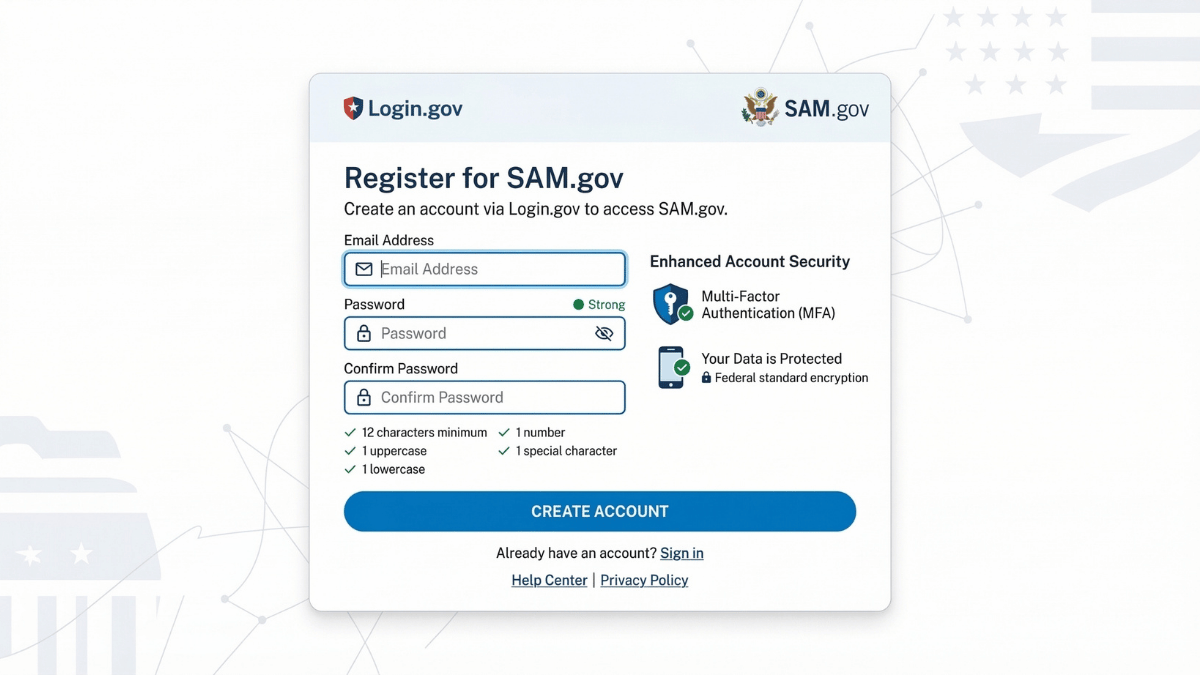
- Go to Login.gov and create an account using a business email address — not a personal email that could change hands.
- Enable multi-factor authentication (MFA). Store your backup codes in a secure location your organization controls.
- Document internally who owns this account. If the account owner leaves your organization, recovering access can become a significant obstacle for renewals and updates.
See the full guide: Login.gov basics for SAM.gov vendors
- Go to SAM.gov and sign in using your Login.gov credentials.
- Select Register Entity from the workspace.
- Choose the registration purpose that matches your situation (most small businesses pursuing federal contracts select "All Awards").
- Enter your legal business name exactly as it appears on your IRS or state records — including punctuation, abbreviations, and spacing.
- Use a physical street address as your primary address. A PO Box as the primary address is a frequent source of validation failures.
- Format your address consistently with how it appears on your official documents — including suite/unit designations and abbreviations.
Entity validation confirms your business exists and that your submitted information matches official records. It is the most common point where registrations stall. If validation fails, it almost always comes down to a name or address mismatch, or missing documentation.
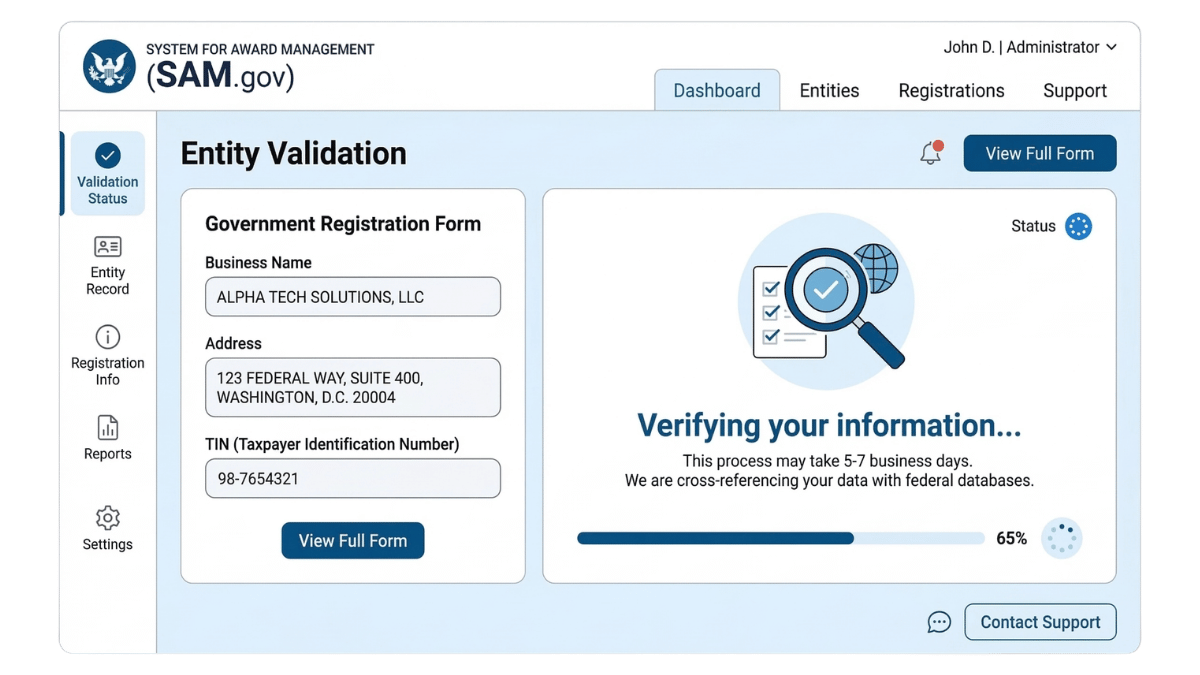
- Re-verify the spelling, punctuation, and spacing of your legal business name before submitting.
- Confirm your physical address matches supporting documents exactly.
- If SAM.gov requests additional documents, respond promptly and label them clearly.
Full troubleshooting guide: Entity validation in SAM.gov — why it fails and how to fix it
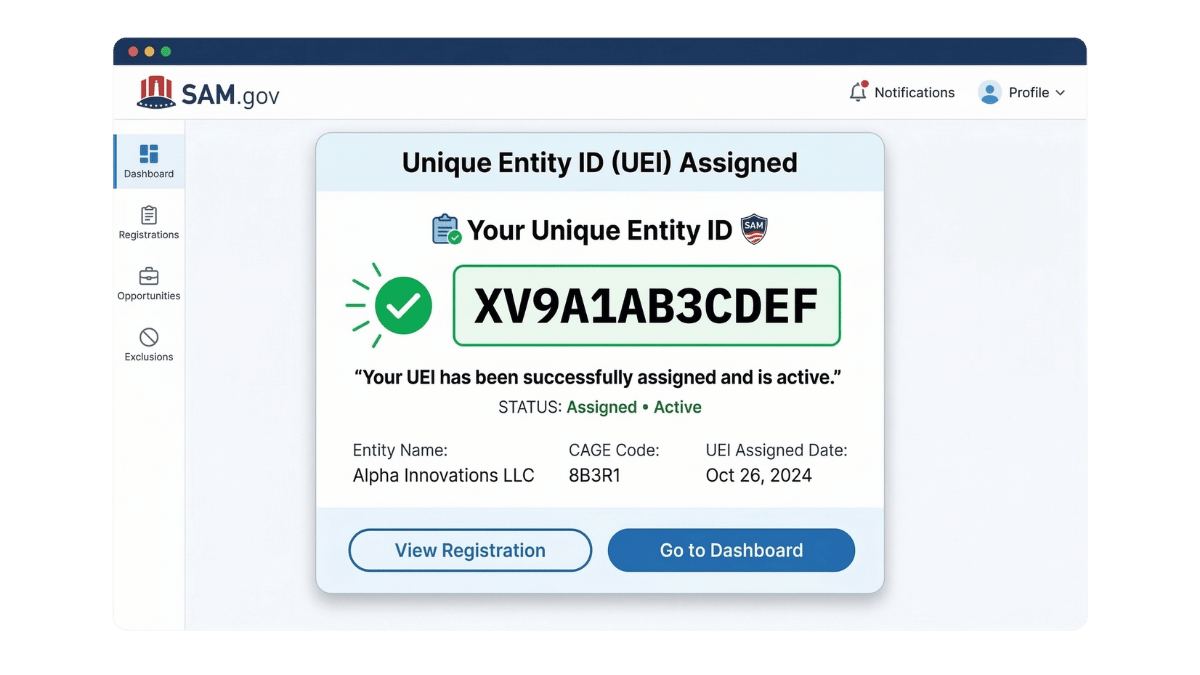
- Your Unique Entity Identifier (UEI) is assigned within SAM.gov during the registration workflow.
- Store it in your internal vendor file and share it with your finance and operations teams.
- You will need your UEI for contract bids, grant applications, subcontracting agreements, and federal payment setups.
Learn more: What is a UEI number and where do you find it
- Select a primary NAICS code that best represents your core product or service offering.
- Add only relevant secondary codes — avoid overstuffing. A bloated, inaccurate NAICS list hurts your discoverability in federal procurement searches.
- Keep your business narrative description consistent with the codes you select.
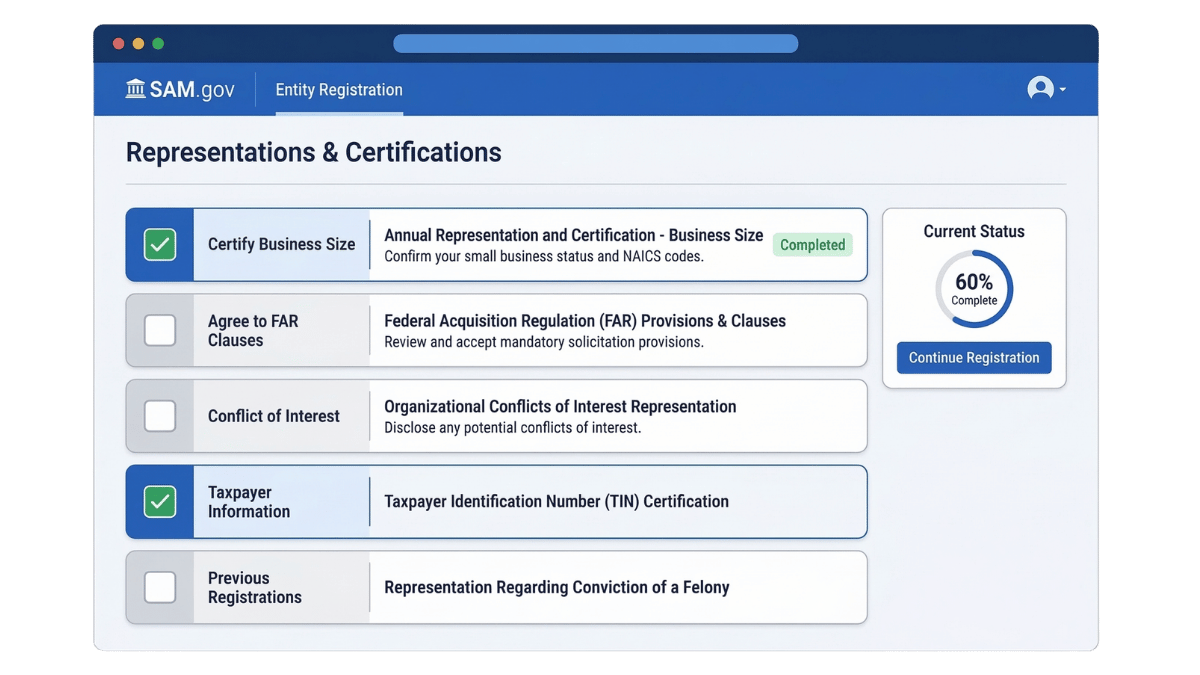
- Reps & Certs cover your business status, ownership structure, socioeconomic certifications, and exclusions. They are not administrative checkboxes — they are legal attestations.
- Review each question with your compliance or legal team if you have any uncertainty.
- Document your answers internally. You will need to confirm them consistently at renewal.
- Do not guess on questions about business size, ownership, or status. Incorrect declarations create downstream compliance risk.
Full guide: SAM.gov Reps & Certs explained — what you're agreeing to
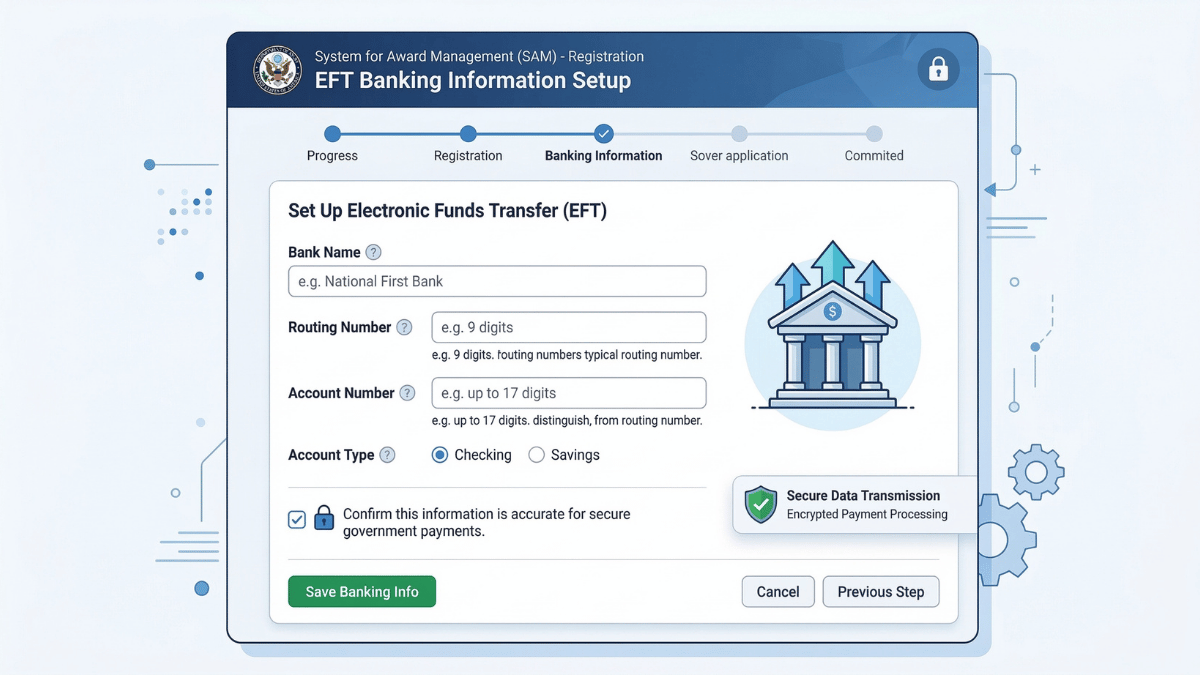
- Enter your routing number and account number exactly as they appear on your business bank account documentation.
- The account holder name must match your business banking records precisely.
- Save your EFT confirmation details and share them with your finance team.
- Banking updates in SAM.gov require your MPIN for security verification.
See: EFT and banking setup in SAM.gov — avoid payment delays
- Before submitting, do a final pass on every section — name and address formatting errors are still catchable here.
- Submit your registration through the SAM.gov workflow.
- Monitor your status in SAM.gov and respond quickly if additional documentation is requested.
- Once Active, confirm your status, note your registration expiration date, and calendar your renewal.
For the complete step-by-step walkthrough with screenshots, see: How to register in SAM.gov — detailed step-by-step guide
Your UEI and CAGE Code Explained
Two identifiers come out of the SAM registration process that you will use throughout your federal contracting activity. Both live in your SAM entity record. Both should be documented in your internal vendor file immediately.
UEI — Unique Entity Identifier
The UEI is a 12-character alphanumeric code assigned to your business inside SAM.gov. It replaced the DUNS number (issued by Dun & Bradstreet) in April 2022 as the standard federal identifier. The UEI is generated through the SAM registration workflow — you do not apply for it separately.
You will need your UEI for contract bids, grant applications, subcontracting agreements, teaming arrangements, and any federal payment setup. Store it alongside your EIN in your core business documentation.
See: What is a UEI number and where do you find it | DUNS to UEI transition explained
CAGE Code — Commercial and Government Entity Code
A CAGE code is a 5-character identifier (letters and numbers) used in federal procurement systems — particularly in the Department of Defense. For domestic businesses, the CAGE code is assigned during or shortly after SAM registration. International entities use an NCAGE code instead.
The CAGE code appears in your SAM entity record after your registration becomes Active. It is referenced in contracting vehicles, DoD procurement, and some civilian agency workflows.
See: What is a CAGE code and how is it assigned | How to find your CAGE code in SAM.gov
Entity Validation: Why It Fails and How to Fix It
Entity validation is the process SAM.gov uses to confirm your business exists and that your submitted information matches official records. It is the most common point where SAM registrations stall — often for reasons that are entirely preventable.
Most common failure causes
- Legal name mismatch: Punctuation differences, abbreviation inconsistencies (LLC vs L.L.C.), or spacing errors between what you enter and what exists in IRS or state records.
- Physical address inconsistency: Address formatting differences between SAM entry and official business records — including suite/unit designations, road abbreviations, and zip code format.
- PO Box as primary address: SAM.gov's validation process requires a physical address for the primary business location. A PO Box used as the primary address frequently causes validation failures.
- Missing or improperly labeled supporting documents: If SAM.gov requests documentation, files submitted without clear labeling or in the wrong format can delay review.
How to resolve entity validation issues
- Go back to your original sources — IRS letter, state incorporation document, articles of organization — and compare every character of your legal name with what you entered.
- Verify your physical address matches exactly, including whether "Suite" is spelled out or abbreviated "Ste," and whether your zip code is 5-digit or 9-digit format.
- If documentation was requested, resubmit it clearly labeled (e.g., "IRS_EIN_Letter_BusinessName.pdf") in the formats SAM.gov accepts.
- If you remain stuck after verifying and resubmitting, contact the Federal Service Desk (FSD) at fsd.gov with your entity details and a clear description of the issue.
Full troubleshooting guide: Entity validation in SAM.gov — why it fails and how to fix it | SAM.gov address rules: physical address vs PO Box
If you need official support, see: When to use the Federal Service Desk for SAM.gov help
Reps & Certs, EFT, and NAICS: The Three Most Misunderstood Sections
These three areas of the SAM registration workflow generate the most questions and — when handled carelessly — the most downstream problems. Here is what each involves and what to watch for.
Representations and Certifications (Reps & Certs)
The Reps & Certs section is a series of compliance declarations made under the Federal Acquisition Regulation (FAR). You are attesting, under legal obligation, to facts about your business — its size, ownership structure, socioeconomic status, exclusion history, and more.
This section is not administrative. Incorrect declarations create compliance liability that can affect your eligibility for awards and certifications. Key guidance:
- Review each question carefully. If any question involves ownership structure, business status, or size standards, verify the facts before answering.
- Do not guess. If you are uncertain about a question — particularly those involving small business size standards under your NAICS code — look up the answer before confirming.
- Document your responses internally. You will need to confirm these same representations at annual renewal, and consistency matters.
Full guide: SAM Reps & Certs explained — what you're agreeing to
EFT / Banking Information
Federal payments go directly to the banking account on file in SAM.gov. Errors here mean delayed or misdirected payments after a contract award — a problem that is entirely preventable.
- Enter your routing number and account number exactly as they appear on a voided check or your official bank documentation.
- The account holder name must match your business name as it appears in your banking records.
- Your MPIN (Marketing Partner Identification Number) is used to authorize banking changes in SAM.gov. Keep it documented and secured with the same care as your Login.gov credentials.
See: EFT and banking setup in SAM.gov | MPIN explained — what it is and how to reset it safely
NAICS Codes
Your NAICS codes are how federal buyers find your business. Contracting officers and acquisition teams filter vendor searches by NAICS code when conducting market research and posting set-aside opportunities. Getting this right is a discoverability issue, not just a classification formality.
- Your primary NAICS should represent your core offering — the one type of work you most want to be found for.
- Add secondary codes only for service or product areas you genuinely deliver. An overstuffed NAICS list signals to buyers that your capabilities aren't focused.
- Verify your size standard under each NAICS code you select. Size standards vary by industry and affect your small business eligibility for set-asides.
How Long SAM Registration Takes
SAM.gov does not publish a guaranteed timeline, and actual processing time varies based on entity validation outcome, record consistency, and whether additional documentation is requested. What is well established is what makes registrations move faster versus what causes delays.
Factors that accelerate registration
- Legal name and physical address entered exactly as they appear in official records
- Physical address used (not a PO Box) with consistent formatting
- All required information gathered before starting registration
- Prompt response if SAM.gov requests supporting documentation
- Login.gov account already created and accessible
Factors that cause delays
- Name or address mismatch triggering manual validation review
- PO Box used as primary address
- Missing, unlabeled, or incorrectly formatted supporting documents
- Login.gov account access problems (locked out, MFA issues)
- Errors in EFT banking information requiring correction after submission
While you wait for your registration to become Active, use the time productively: document your UEI once assigned, prepare your NAICS and PSC code list, and begin drafting your capability statement so you are ready to act once the registration is confirmed.
SAM Renewal: Keeping Your Registration Active
SAM.gov registrations expire annually. An expired or inactive registration can block you from receiving contract awards and federal payments — even mid-performance on an existing contract. Renewal is not optional and cannot be completed retrospectively once a lapse affects an active award.
What "Inactive" status means
If your registration lapses — either because you missed the renewal window or because an issue prevented renewal from completing — your SAM status will show as Inactive or Expired. In this state, contracting officers cannot award new contracts to your entity, and payment systems may flag your record as ineligible.
Best practices for renewal
- Check your registration expiration date in SAM.gov and calendar a renewal reminder 60 days before expiration.
- Review your entity details at renewal — address, NAICS codes, banking information, and Reps & Certs — and update anything that has changed.
- Do not wait until the last week. Renewal can encounter the same validation issues as initial registration, and timing matters if you have active opportunities in your pipeline.
- Verify that your Login.gov account access is current before your renewal window opens.
Full renewal guide: SAM renewal — how to stay active and avoid inactivation | SAM status meanings: Active, Inactive, Expired
Common SAM Registration Mistakes (and How to Avoid Them)
Most SAM registration problems are not random — they cluster around a handful of predictable mistakes. Here are the ones that appear most frequently and what to do instead.
A period in "LLC." vs no period in "LLC," an abbreviation difference, or a spacing inconsistency between your SAM entry and your IRS records is enough to trigger manual review. Always copy your legal name from your IRS EIN confirmation letter — that is the authoritative source.
SAM.gov entity validation requires a physical street address for the primary business location. Using a PO Box as the primary address creates validation problems in a large share of cases. Use your physical business address and, if needed, add a separate mailing address.
If the Login.gov account tied to your SAM registration was created by a former employee or consultant who no longer works with your business, making updates and completing renewals can become extremely difficult. Assign a permanent business email as the account owner and document the credentials internally.
Reps & Certs are legal declarations under the FAR. Answering questions without reading them carefully — particularly questions about business size, ownership, and exclusion history — creates downstream compliance risk. Take the time to review them. Document your answers so renewal is consistent.
Transposed routing or account numbers, or a mismatched account holder name, will cause federal payment failures after award. Enter banking information from a voided check or official bank documentation — not from memory. Verify the account holder name matches your business name as it appears in your bank records.
An expired SAM registration does not just cause administrative inconvenience — it can block awards and payments on active contracts. Set a calendar reminder 60 days before your expiration date and build renewal into your annual operations calendar.
Fraudulent SAM.gov renewal emails are a persistent and well-documented problem. SAM.gov explicitly warns vendors that phishing emails targeting registered entities are common. SAM.gov registration and renewal are free — any email directing you to pay a fee for SAM registration is fraudulent. Go directly to SAM.gov for all registration activity.
See also: SAM.gov phishing and scam prevention for small businesses
What to Do After Your SAM Registration Is Active
An Active SAM registration is the eligibility foundation — not the end of the work. Once your registration confirms Active status, shift your focus to discoverability and execution.
- Confirm and document your UEI and CAGE code. Both should be in your core vendor file immediately.
- Verify your NAICS codes align with how buyers search. If your codes don't reflect your actual offerings accurately, you'll be invisible to the buyers most relevant to your business.
- Update your SAM profile narrative. Your entity description is part of how contracting officers conduct market research. Make it specific and searchable.
- Build or update your capability statement. A one-page capability statement is your primary marketing tool in federal contracting — start it now while your registration details are fresh.
- Explore relevant certifications. If your business qualifies for set-aside certifications (8(a), HUBZone, WOSB, SDVOSB), registration is the prerequisite. Now is the time to assess eligibility.
- Calendar your annual renewal. Set a reminder 60 days before your SAM registration expiration date.
Cross-silo: Once your registration is Active, your next priority is making your business findable to the right buyers. Start with your capability statement and then build toward a full federal contracting strategy.
Frequently Asked Questions About SAM.gov Registration
Is SAM.gov registration free?
Yes. SAM.gov is the official U.S. government system and is free to use. Businesses may choose optional third-party support to reduce errors and delays, but payment is never required to register. Any service claiming otherwise, or any email directing you to pay for SAM registration, is fraudulent.
What is a UEI number?
A Unique Entity Identifier (UEI) is a 12-character alphanumeric code assigned to your business inside SAM.gov during the registration process. It replaced the DUNS number in April 2022 and is required for all federal contract awards, grants, and payments.
How long does SAM registration take?
Timeline varies based on entity validation outcome and record consistency. Registrations with accurate, consistent information process faster. Mismatches between legal name, physical address, and official documents can trigger manual review and add time. The fastest path is accurate inputs the first time.
What is entity validation in SAM.gov?
Entity validation is the process SAM.gov uses to confirm your business exists and that your submitted information matches official records. It is the most common point where registrations stall, usually due to name or address inconsistencies or missing supporting documentation.
Do I need a CAGE code to register in SAM.gov?
You do not need to obtain a CAGE code separately. For domestic entities, the CAGE code is assigned during or after the SAM.gov registration workflow. It will appear in your SAM entity record once your registration is Active.
What happens if my SAM registration becomes inactive?
An inactive SAM registration can block new contract awards and federal payments. Registrations expire annually and must be renewed to stay Active. You can reactivate an expired registration by logging in to SAM.gov and completing the renewal process, but allowing registration to lapse during an active award creates significant complications.
Will SAM.gov registration get me federal contracts automatically?
No. SAM.gov registration is a compliance requirement and the eligibility foundation for federal contracting. Winning contracts requires an opportunity research strategy, accurate NAICS and PSC codes, a compelling capability statement, and a consistent bidding and outreach process.
What should I do if entity validation fails?
Start by verifying that your legal business name and physical address match your official records exactly — character by character. If problems persist after correcting and resubmitting, contact the Federal Service Desk at fsd.gov with your entity details and a clear description of the issue.
Ready to register — or want a second set of eyes before you submit?
If you want a compliance review before submission, or a done-for-you workflow that eliminates rework and validation back-and-forth, schedule a strategy call and we'll map the fastest compliant path based on your business type and goals.
Reviewed by: Biz2Gov Editorial Team, including former DoD Contracting Officer advisors. Official sources referenced: SAM.gov, GSA, SBA, Acquisition.gov (FAR 52.204-16), U.S. Census Bureau NAICS.