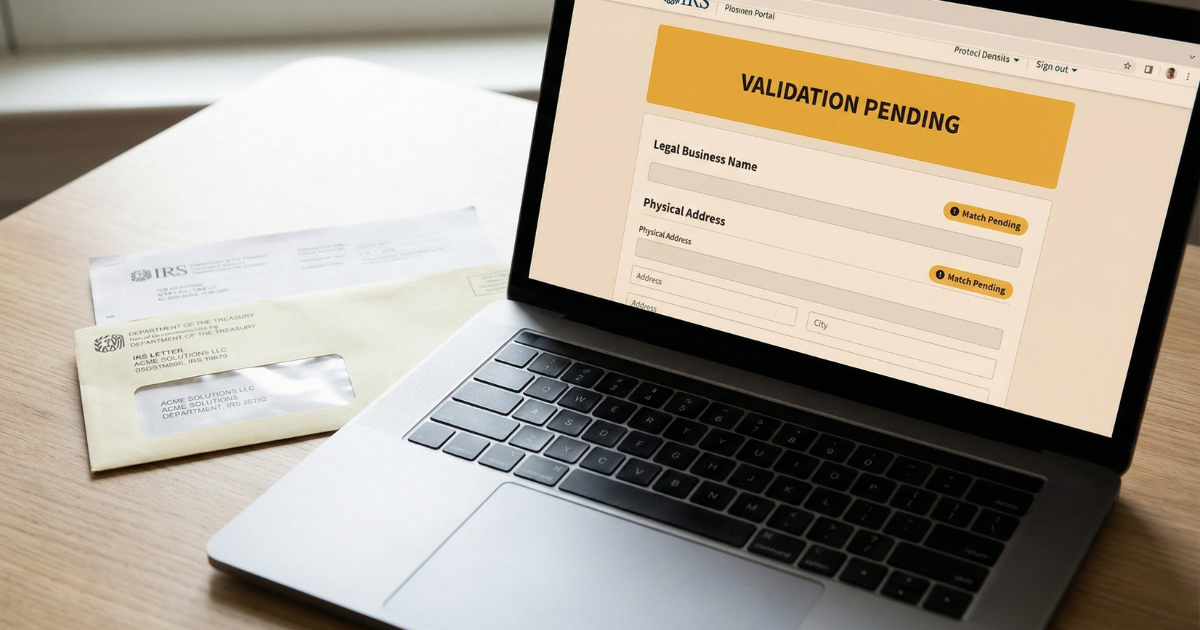
SAM entity validation is the step in SAM.gov registration where your submitted business information is verified against official government records — and it's where the majority of registration delays originate. This guide explains exactly what entity validation is, why it fails, how to diagnose the specific cause in your situation, and the resolution path for each failure type, including when to escalate to the Federal Service Desk.
For the complete SAM.gov registration reference — UEI, CAGE code, Reps & Certs, renewal, and troubleshooting — start with the SAM.gov registration guide for small businesses. If you haven't started registration yet, see how to register in SAM.gov step-by-step. New to federal contracting? The federal contracting for beginners guide gives you the full context.
On this page Jump to section
Why SAM Entity Validation Fails (Quick Answer)
Entity validation in SAM.gov is the automated and — when needed — manual process that confirms your business exists as a legal entity and that the information you submitted matches official government records. It is the most common point where SAM registrations stall. Most validation failures trace back to one of six causes:
- Legal business name formatted differently from IRS or state records
- Physical address inconsistency between your SAM entry and official documents
- PO Box used as the primary address
- Missing, incorrectly labeled, or wrong-format supporting documents
- Entity type mismatch (e.g., sole proprietor selected but filed as LLC)
- New business with a limited official record footprint
What Entity Validation Is (and Why It Exists)
When you submit a SAM.gov registration, the system doesn't simply accept your inputs and move on. It runs an automated check to verify that the business you described — with the name, address, EIN, and entity type you entered — matches the records held by authoritative government sources, primarily the IRS and state business registries.
This process exists because federal procurement requires verified vendor records before awards and payments can be processed. Agencies need to confirm that the entity receiving a contract or payment is a real, properly registered business — not a mismatch, a duplicate, or an entry with errors that would cause downstream problems in the payment and reporting chain.
When automated validation cannot confirm a clear match, the registration is flagged for manual review. A SAM.gov reviewer then compares your submission against authoritative data sources directly. There is no benefit of the doubt on formatting — the comparison is exact and literal.
A successful validation produces three results: an Active entity record, UEI (Unique Entity Identifier) assignment, and eligibility to receive contract awards. Understanding what the system is checking — and why — is the fastest path to getting your registration through.
Cause #1: Legal Name Mismatch
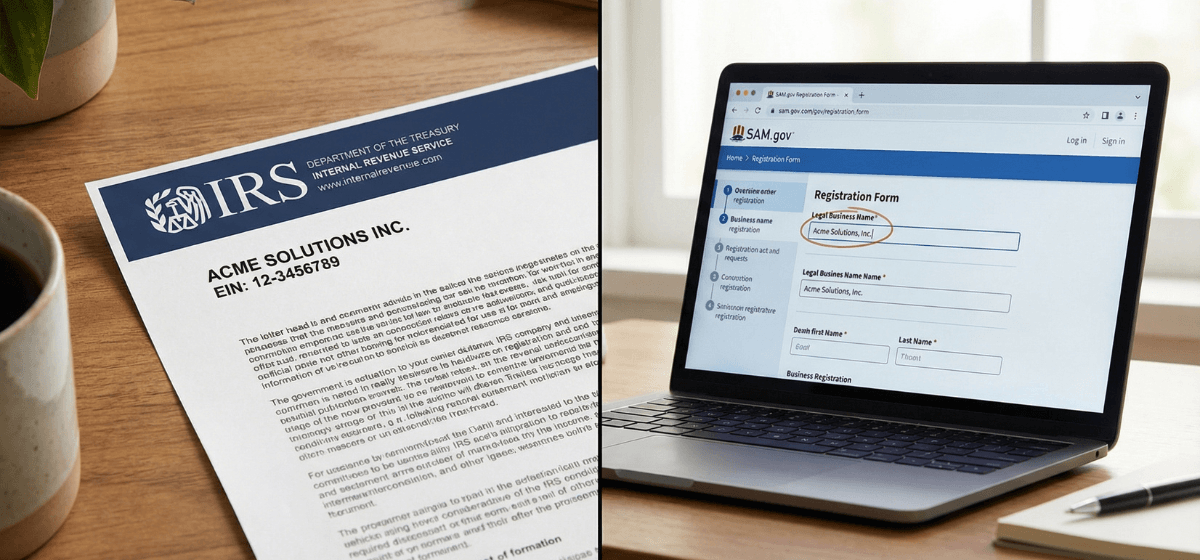
This is the single most common cause of SAM entity validation failure. The name you entered in SAM.gov does not match the legal business name on your IRS EIN records or state formation documents — even if the difference is a single character.
Common formatting traps
Small differences that look trivial are enough to fail validation. The most frequently seen formatting mismatches include:
- "LLC" vs "L.L.C." vs "L.L.C" — punctuation and period placement matter
- "Inc." vs "Inc" vs "Incorporated" — abbreviated forms are not interchangeable
- "and" vs "&" — spelled-out connectors vs symbols are different strings
- DBA name used instead of legal name — your "doing business as" name is not your legal name
- Extra spaces, missing hyphens, or punctuation differences — these register as non-matches
- Recently changed business name — state records updated but IRS record not yet reflecting the change
How to diagnose it
Pull your IRS EIN confirmation letter (Form CP 575 or 147C). Compare every character of the business name on that letter against what you entered in SAM.gov. These must be identical — not approximately the same.
How to fix it
- Correct your SAM.gov entry to match the IRS EIN letter exactly, including punctuation and spacing.
- If your IRS records are outdated or contain an error, you must update them with the IRS before SAM validation will pass. SAM.gov matches against what the IRS has on file — other documents do not override it.
- If your business recently changed its legal name, file IRS Form 8822-B and wait for IRS confirmation before registering or resubmitting in SAM.gov.
Cause #2: Physical Address Issues
Address-related failures are the second most common cause of SAM entity validation problems. They fall into three distinct types, each with a different resolution path.
Type A — Formatting inconsistency
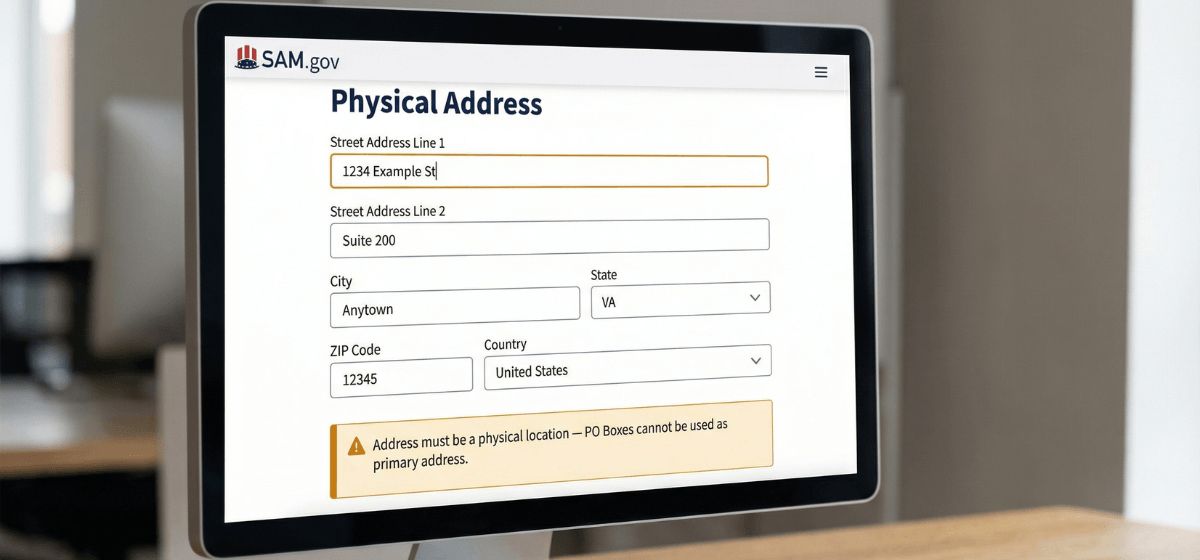
Your address is correct in substance but the formatting differs from your official business records. Examples that cause failures:
- "Suite 100" vs "Ste 100" vs "Ste. 100"
- "Road" vs "Rd" vs "Rd."
- "North" vs "N" vs "N."
- 5-digit ZIP vs 9-digit ZIP+4 format
How to fix: match your address formatting exactly to how it appears in your official business registration documents, particularly your IRS records.
Type B — PO Box as primary address
SAM.gov requires a physical street address for the primary business location. A PO Box used as the primary address will fail validation. A PO Box can be added as a separate mailing address — it cannot serve as the primary.
How to fix: use your physical street address as the primary address. If you operate from a home address and prefer not to publish it, confirm what address options are available to your business type before registering. See SAM.gov physical address rules: physical address vs PO Box for the full breakdown.
Type C — Address mismatch with official records
The address on your SAM.gov entry differs from the address on your IRS records or state filing. Recently relocated businesses are particularly vulnerable — the IRS may still have your old address on file.
How to fix: confirm which address is on your IRS records and use that address in SAM.gov. If your IRS address is outdated, file IRS Form 8822-B to update it, wait for confirmation, then register or resubmit in SAM.gov.
Cause #3: Missing or Incorrect Supporting Documents
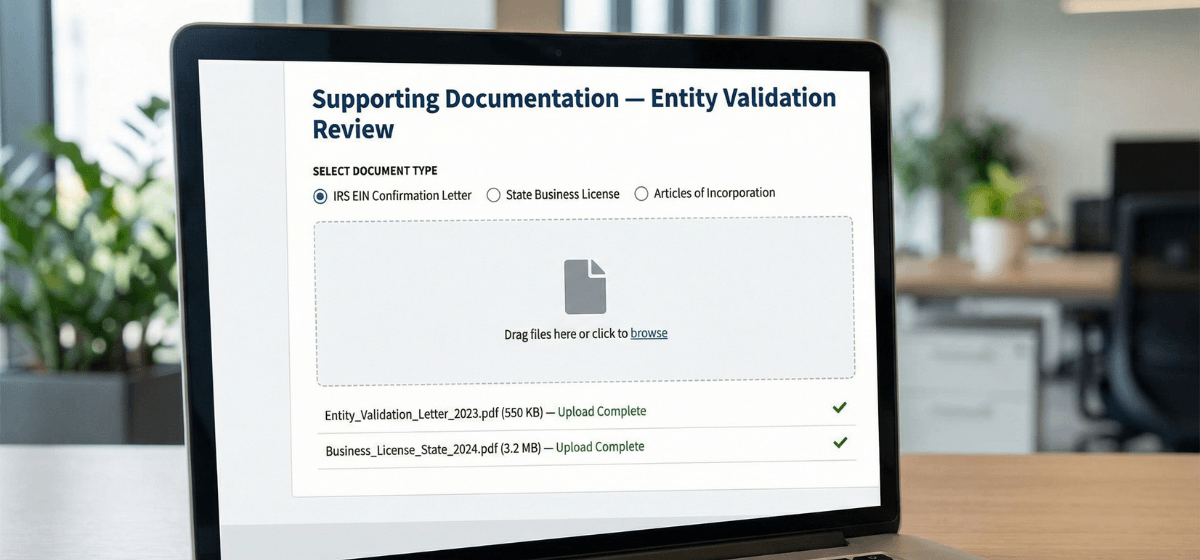
When automated validation cannot confirm a match, SAM.gov may request supporting documents to complete the review. Failures at this stage are usually about the documents themselves — wrong format, unclear labeling, or the wrong document type submitted.
Which documents SAM.gov typically requests
- IRS EIN confirmation letter (CP 575 or 147C) — the most commonly requested document
- Articles of Incorporation, Articles of Organization, or Certificate of Formation — state-issued entity formation document
- State business license or registration certificate — varies by state and entity type
- For sole proprietors: DBA registration or local business license
Common document submission mistakes
How to submit documents correctly
- Name each file clearly before uploading — e.g.,
IRS_EIN_Letter_[BusinessName].pdfandArticles_of_Organization_[BusinessName].pdf - Confirm files are legible — 300 DPI minimum for scanned documents.
- Submit only documents for the exact legal entity you are registering.
- Upload through the SAM.gov document upload workflow. Do not email documents unless specifically directed by the Federal Service Desk.
- Respond to document requests within 24–48 hours — delayed responses extend your timeline.
Cause #4: Entity Type Mismatch and New Business Issues
Entity type mismatch
The entity type you selected in SAM.gov doesn't match what is on file with the IRS or your state. A common example: a business that formed as an LLC but the owner selected "Sole Proprietor" during SAM registration because they thought it was simpler.
How to fix: verify your entity type on your IRS EIN confirmation letter and your state formation documents. Correct your SAM entry to match both. If your IRS and state records conflict, resolve the discrepancy at the source before resubmitting.
New business with limited record footprint
Recently formed businesses sometimes have insufficient official records for automated validation to confirm the entity exists. IRS records for new EINs can take several weeks to propagate into the external verification systems SAM.gov relies on.
How to handle: allow 2–4 weeks after IRS EIN issuance before attempting SAM.gov registration. Have your IRS EIN letter, state formation document, and any available business license ready to upload immediately if documentation is requested — don't wait for the request to locate those documents.
Business name changed recently
If your business recently changed its legal name, your IRS records may still reflect the old name — even if your state documents are current. SAM.gov validates against the IRS record. The state record does not override it.
How to fix: file IRS Form 8822-B to update your business name with the IRS. Wait for written IRS confirmation that the change is on file. Then register or resubmit in SAM.gov using the updated legal name.
Step-by-Step Resolution Workflow
Regardless of which cause applies to your situation, the resolution workflow follows the same sequence. Work through each step before escalating to the Federal Service Desk. Skipping steps increases back-and-forth and extends your timeline.
- IRS EIN confirmation letter (Form CP 575 or 147C)
- State formation document (Articles of Incorporation, Articles of Organization, or Certificate of Formation)
If you don't have your IRS EIN letter, call the IRS Business & Specialty Tax Line at 800-829-4933 and request a 147C letter — this is a replacement EIN confirmation you can request by phone.
- Check punctuation: periods, commas, hyphens, ampersands
- Check abbreviations: LLC vs L.L.C., Inc. vs Inc, Corp. vs Corp
- Check spacing: no extra spaces before or after words
- Check capitalization: match exactly what appears on the IRS letter
Correct your SAM.gov entry to match the IRS letter exactly.
- Confirm the address in SAM.gov matches your official business records
- Check suite/unit formatting, road abbreviations, and ZIP code format
- If using a PO Box as primary address, replace it with your physical street address
- Verify the entity type selected in SAM.gov matches your IRS EIN letter and state formation document
- Correct the SAM entry if there is a mismatch
Corrected registrations that pass automated validation process faster than those requiring manual review. Do not submit a second registration for the same entity while one is already processing — this creates duplicate records and extends your timeline.
- Use clearly labeled file names — e.g.,
IRS_EIN_Letter_[BusinessName].pdf - Submit only documents for the exact entity you are registering
- Ensure documents are legible — 300 DPI minimum for scanned files
- Upload via the SAM.gov document workflow; do not email unless FSD directs you to
Log in to SAM.gov and check your entity record. If status does not progress after resubmission and document delivery within a reasonable window, proceed to escalation.
- Open a ticket at fsd.gov — this is the official, free SAM.gov support channel
- Include in your ticket: entity legal name, UEI (if already assigned), EIN, and a clear description of what you have already tried
- Reference the specific error message or status you are seeing
- Keep a record of your ticket number for follow-up
For a full decision tree on when and how to use FSD, see when to use the Federal Service Desk for SAM.gov help.
What to Do While Validation Is Processing
Waiting on validation does not mean your preparation has to stall. Use the window productively so that once your registration goes Active, you can move quickly.
- Document your UEI now if it's visible. Your UEI (Unique Entity Identifier) may already appear in your SAM.gov entity record even while validation is still processing. Locate it and record it in your internal vendor file.
- Finalize your NAICS code list. Confirm your primary NAICS code and a short list of relevant secondary codes. See how to choose NAICS codes in SAM.gov for guidance on selecting codes that align with how federal buyers search.
- Draft your SAM profile narrative. The description field in your entity record is a buyer-facing summary of your capabilities — prepare a draft so you can update it immediately after activation.
- Begin your capability statement. This document is used in agency outreach and is a core marketing asset for federal contracting. Starting it now means you'll be ready to move quickly after activation.
- Confirm your CAGE code status. For domestic businesses, a CAGE code (Commercial and Government Entity code) is typically assigned during or shortly after SAM registration. Watch for it in your entity record.
After Validation Passes: Confirming Your Active Status
When your SAM.gov entity record shows "Active," validation has passed and your registration is live. Before you move on, take a few minutes to confirm that all of the details are correct and that your record is set up for what comes next.
- Confirm Active status in your entity record — this is the trigger that makes you eligible for federal contract awards.
- Record your UEI and share it with your operations and finance teams. It will be required on proposals, invoices, and contract documents.
- Locate your CAGE code in your entity record and document it. CAGE codes are used by contracting offices to identify your entity in procurement and payment systems.
- Note your registration expiration date and calendar a renewal reminder 60 days out. SAM.gov registrations must be renewed annually — a lapse makes you ineligible for awards.
- Review your NAICS codes and profile narrative for accuracy. This is what buyers see when they search for vendors — make sure it reflects what your business actually does.
Frequently Asked Questions About SAM Entity Validation
Why is my SAM registration stuck in validation?
The most common causes are a legal name mismatch between your SAM entry and IRS records, a physical address inconsistency, or a PO Box used as the primary address. Start by comparing your SAM entry character by character against your IRS EIN confirmation letter before making any other changes.
How long does SAM entity validation take?
Registrations that pass automated validation process faster than those requiring manual review. Manual review timelines vary depending on SAM.gov workload and how quickly you respond to any documentation requests. There is no published guaranteed timeline. Submitting accurate information and responding immediately to document requests is the most reliable way to minimize your wait.
What documents does SAM.gov request during entity validation?
SAM.gov most commonly requests your IRS EIN confirmation letter (CP 575 or 147C) and your state formation document (Articles of Incorporation or Articles of Organization). A state business license may also be requested depending on your entity type. Submit each document with a clearly labeled file name that includes your exact legal entity name.
Can I use a PO Box for my SAM.gov address?
A PO Box cannot be used as your primary business address in SAM.gov — entity validation requires a physical street address. A PO Box can be added separately as a mailing address, but the primary address field must reflect a physical location. See the full SAM.gov physical address rules guide for details on what qualifies.
What is the Federal Service Desk and when should I contact them?
The Federal Service Desk (FSD) at fsd.gov is the official, free support channel for SAM.gov technical issues. Contact FSD after you have corrected your name and address formatting, resubmitted your registration, responded to any document requests — and validation is still not progressing. Opening a ticket before completing those steps typically results in FSD directing you to do them anyway, which delays resolution.
My business name recently changed — will that cause validation to fail?
It can. SAM.gov validates against IRS records. If your IRS records still reflect your old legal name, your new name will fail validation even if your state documents are current. File IRS Form 8822-B to update your business name with the IRS, wait for written IRS confirmation, and then register or resubmit in SAM.gov.
Will starting a second SAM registration help if my first is stuck?
No — and it will likely make things worse. Duplicate registrations for the same entity complicate the review process and significantly extend your timeline. Work through the resolution steps in this guide and contact the Federal Service Desk if needed, but keep only one active registration in the system at a time.
Still stuck in validation? Let's work through it.
Entity validation issues are solvable — but they are time-sensitive, especially if you have contract opportunities in your pipeline. If you want an expert to review your registration details, identify what's causing the delay, and map the fastest compliant resolution path, schedule a strategy call. If you'd prefer a done-for-you workflow from start to Active, the registration service handles the full process so you can focus on business.
Author: Biz2Gov Editorial Team · Reviewed by: Former DoD Contracting Officer advisor · Sources: SAM.gov entity registration, Federal Service Desk, SAM.gov help