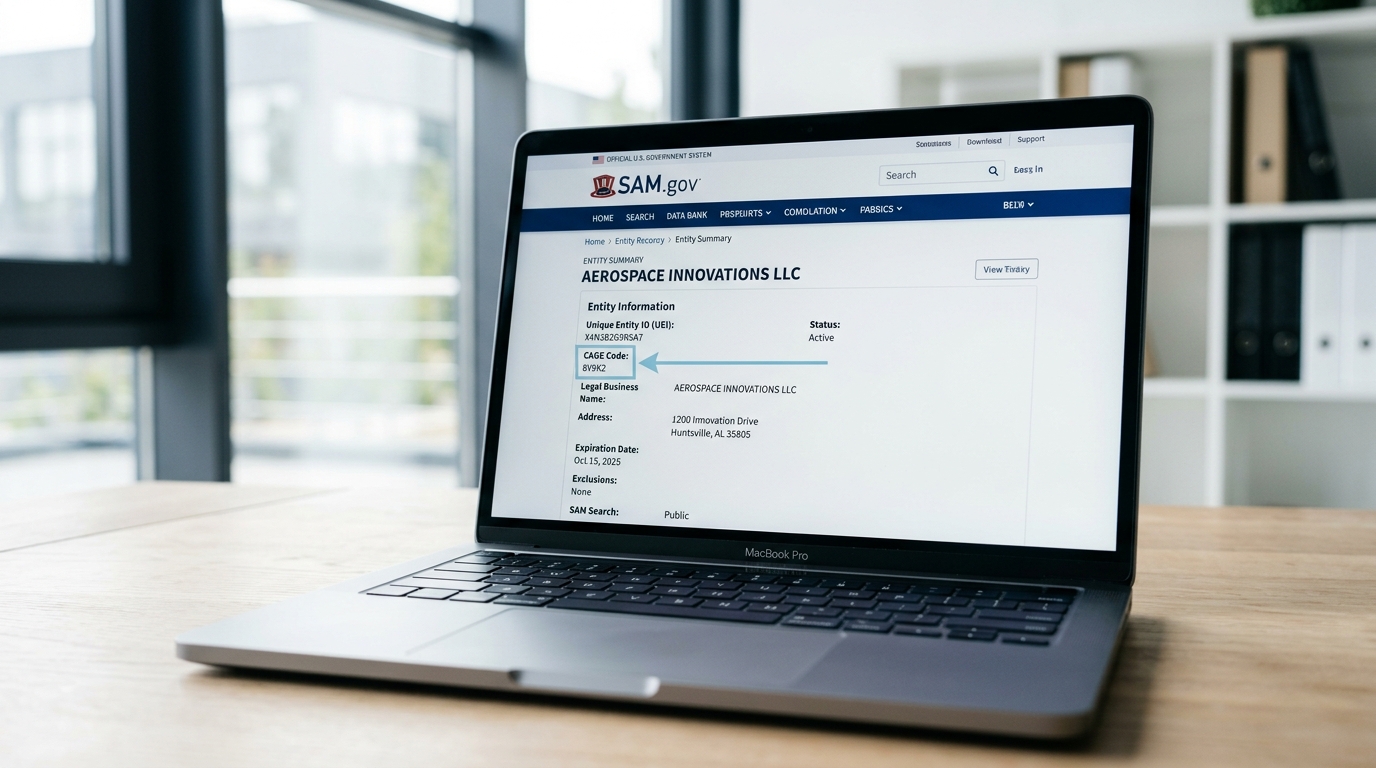
Your CAGE code is visible in your SAM.gov entity record once your registration is active. This guide shows you exactly where to find it, how to look up any entity's CAGE code using public tools, and what to do if your CAGE code appears to be missing.
Not sure what a CAGE code is or how it gets assigned? Start with What is a CAGE code and how is it assigned. For the full SAM.gov reference guide, see the SAM.gov registration guide for small businesses.
On this page Jump to section
How to Find Your CAGE Code in SAM.gov
If your SAM.gov registration is active, your CAGE code is already on file. Here is the step-by-step path to locate it inside your entity record.
Go to sam.gov and click Sign In. Use the same Login.gov email and password you used when you created your registration. If you have trouble signing in, see the entity validation guide for Login.gov troubleshooting steps.
Once logged in, navigate to your Entity Registration workspace. You will see your registered entities listed. Click on your entity name to open the entity record.
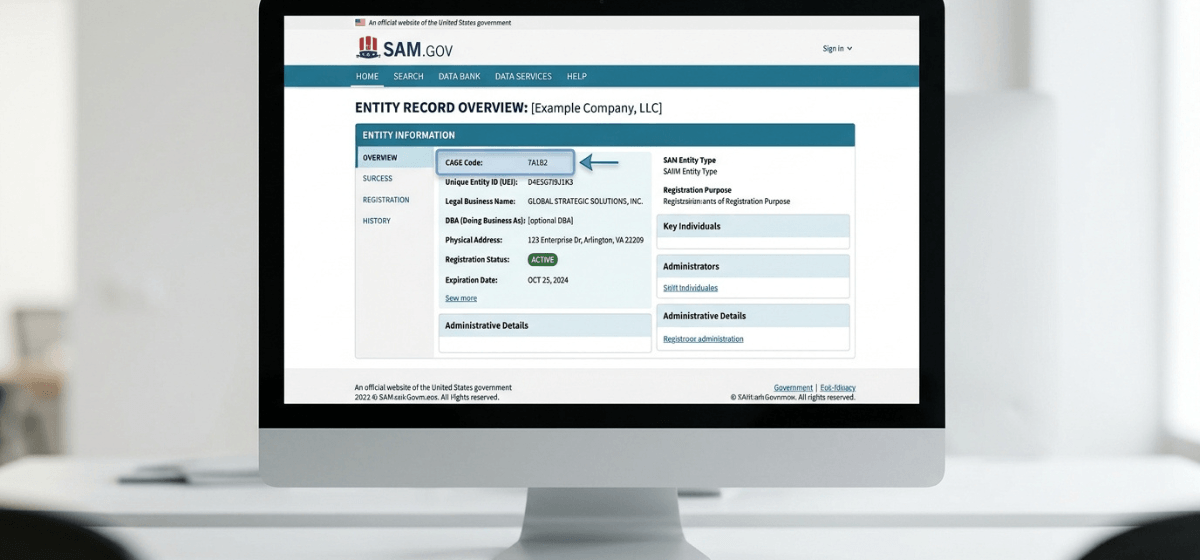
The entity summary panel at the top of your record displays your key identifiers — UEI, CAGE Code, Legal Business Name, Physical Address, and registration status. Your CAGE code is the 5-character alphanumeric field in that summary.
How to Look Up Any CAGE Code (Public Search)
You do not need to be logged in to SAM.gov to find a CAGE code. SAM.gov's public entity search lets anyone look up entity information — including CAGE codes — without an account.
Go to sam.gov → click Search → select Entity Information from the domain dropdown → enter the entity name or UEI → open the result. The CAGE code appears in the entity summary.
Go to cage.dla.mil — the Defense Logistics Agency's dedicated CAGE code search tool. Search by entity name, CAGE code, or UEI. Results include full entity details and CAGE status.
Both tools are free and publicly accessible. The DLA CAGE search tool at cage.dla.mil is often faster for a direct CAGE code lookup and does not require navigating SAM.gov's broader search interface.
Using the DLA CAGE Code Search Tool
The Defense Logistics Agency maintains a dedicated CAGE code search tool at cage.dla.mil. This is the authoritative source for CAGE code verification and is useful in a few specific situations:
- You want to verify a vendor's CAGE code before entering it into a contract document.
- You received a CAGE code from a vendor and want to confirm it is valid and active.
- You are looking up the CAGE code for a specific physical location of a large company.
- You need to confirm whether an entity has multiple CAGE codes tied to different addresses.
What to Do If Your CAGE Code Is Missing
If you log into SAM.gov, open your entity record, and the CAGE Code field is blank or not displayed, there are a few possible explanations:
Your registration is still processing
CAGE code assignment happens during entity validation — the same process that takes 7–10 business days for a clean registration. If your registration was recently submitted and is still in Processing or Validation status, your CAGE code has not been assigned yet. Wait for your status to change to Active before investigating further.
Your registration has lapsed
SAM.gov registrations expire annually. If your registration is Inactive or Expired, your CAGE code is still on file with the DLA — but you may not be able to see it clearly in your current entity record view. Renew your registration to restore full active status. See the SAM renewal guide for step-by-step instructions.
There was a validation issue during registration
If your registration encountered an entity validation failure, CAGE assignment may not have completed. Review your entity record for any outstanding issues or documentation requests. If the record shows no clear error but the CAGE code is still missing, contact the Federal Service Desk (fsd.gov) and reference your UEI and registration submission date.
Where You Will Need Your CAGE Code
Once you have located and documented your CAGE code, here are the common places it gets used:
- Capability statements: Most capability statement templates include a CAGE code field in the header section alongside your UEI and NAICS codes.
- Contract documents: Federal contracts reference your CAGE code in the vendor identification section.
- Payment and invoicing systems: Some federal payment portals — including WAWF/IPP — reference CAGE codes to route payments correctly.
- Federal procurement databases: Your CAGE code appears alongside your entity record in SAM.gov contract data and award history.
- Vendor registration forms: Some agencies maintain their own vendor databases and request CAGE codes as part of vendor onboarding.
Need help sorting out your SAM registration?
If your CAGE code is missing, your registration status is unclear, or you want to make sure your entity record is complete and accurate before pursuing opportunities, a strategy call can help you identify exactly what needs to be fixed.
Frequently Asked Questions
Can I find my CAGE code without logging in?
Yes. Use the SAM.gov public entity search or the DLA CAGE search tool at cage.dla.mil. Search by your business name or UEI and your CAGE code will appear in the entity record.
What if my CAGE code is different from what I expected?
CAGE codes are assigned based on your physical business address at the time of registration. If your address has changed since your original registration — or if you have multiple registrations — you may see a different code than anticipated. Verify your current active registration in SAM.gov and confirm the address on file is correct.
Do I need to renew my CAGE code separately?
No. Your CAGE code does not have its own renewal process. It remains active as long as your SAM.gov registration is active. Renewing your SAM registration annually keeps your CAGE code valid and your entity eligible for awards.
Can someone else look up my CAGE code?
Yes. CAGE codes are publicly searchable through SAM.gov and cage.dla.mil. This is by design — federal buyers and contracting officers need to be able to verify vendor identifiers without requiring vendors to disclose them manually.