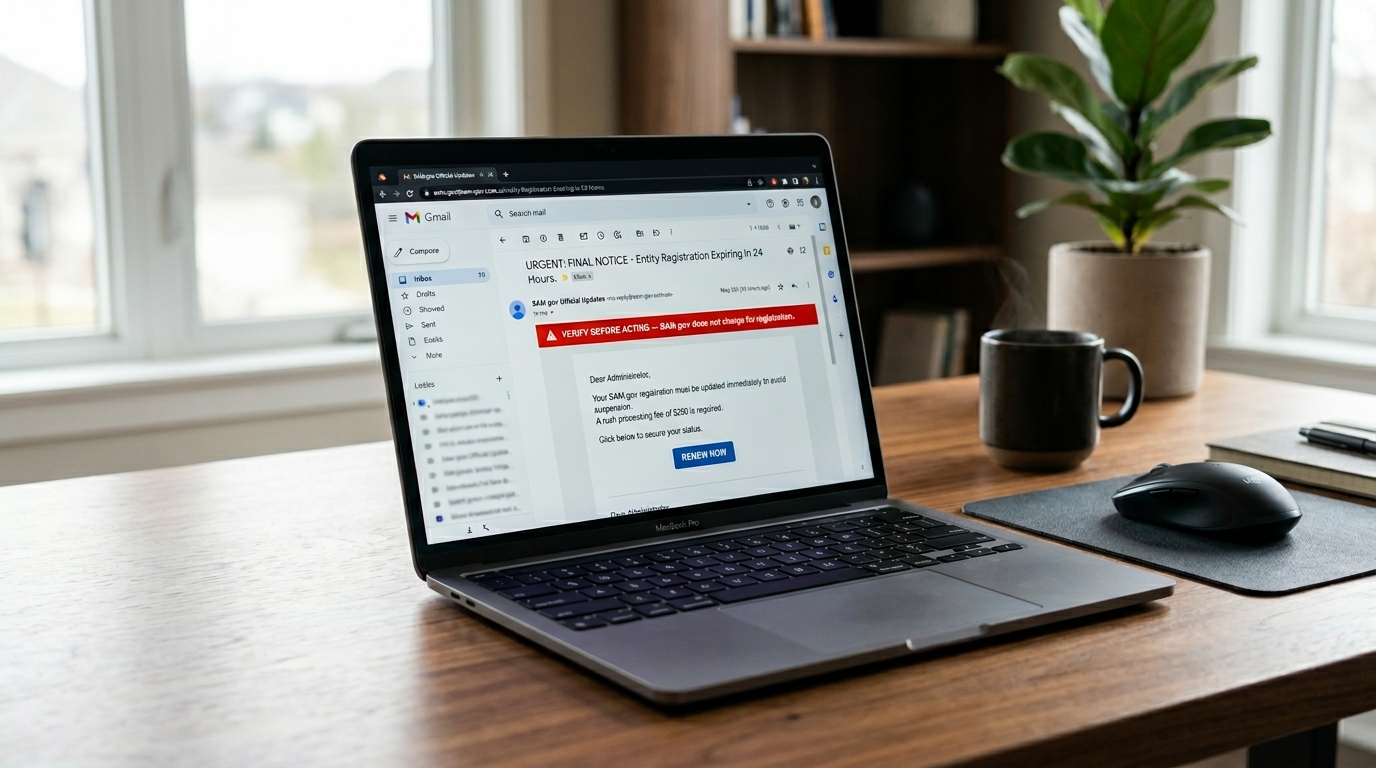
SAM.gov is free — but scammers target federal vendors with fake renewal notices, phishing emails, and impersonation sites designed to collect payment or steal credentials. This guide explains how to identify SAM.gov scams, verify official communications, and protect your entity record.
For the full SAM.gov registration reference, see the SAM.gov registration guide for small businesses. If you receive a suspicious communication, verify at the official site: sam.gov — the only official SAM.gov address.
On this page Jump to section
Why Federal Vendors Are Targeted
Businesses registered in SAM.gov are publicly searchable. Anyone can look up your entity name, UEI, CAGE code, address, and registration expiration date using SAM.gov's free public search. Scammers use this information to send convincing, personalized fake renewal notices timed to arrive near your actual expiration date — making them appear legitimate.
SAM.gov itself warns vendors about phishing and impersonation attempts. The threat is real, well-documented, and specifically targets small businesses that may not have dedicated compliance staff reviewing every communication that references their federal registration.
The Most Common SAM.gov Scams
Fake renewal notices
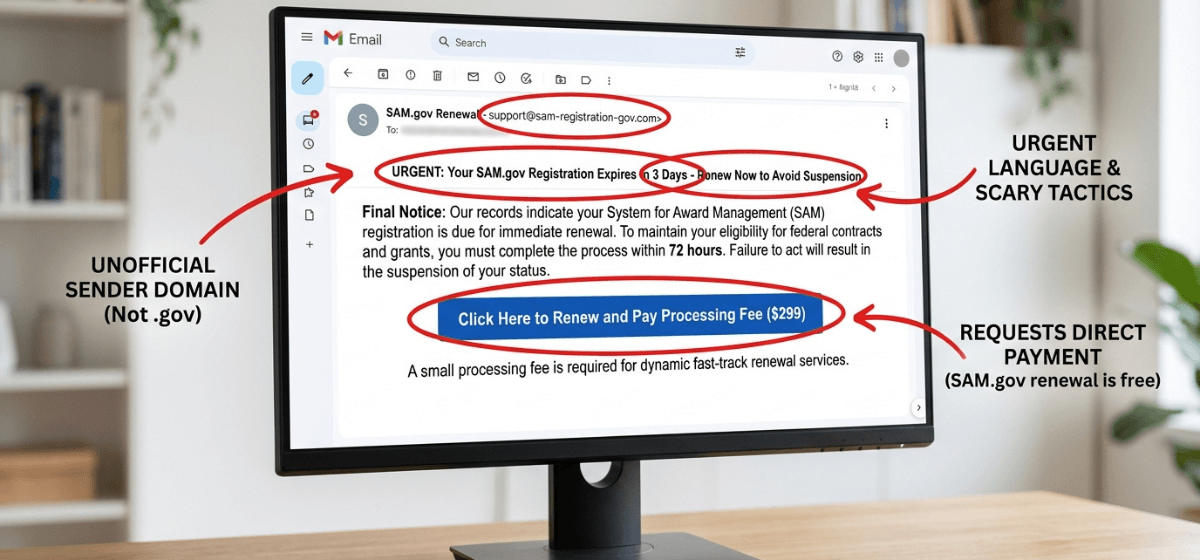
The most prevalent SAM.gov scam is a fake renewal notice — typically a letter or email that appears to come from a government agency or official-looking registry service. It includes your business name, your registration expiration date (pulled from public SAM.gov data), and instructions to pay a fee to renew. The fee goes to the scammer. Your registration does not get renewed.
Phishing emails requesting login credentials
Some scam emails link to fake SAM.gov or Login.gov lookalike websites designed to capture your username and password. Once captured, scammers can access your entity record, change your banking information, and redirect federal payments to their own accounts.
Third-party "registration assistance" services charging excessive fees
Some companies legitimately offer paid assistance with SAM.gov registration. However, others charge fees that are far out of proportion to the service provided — sometimes hundreds or even thousands of dollars for a process that is free to complete yourself. Be cautious of any service that implies SAM.gov charges fees or that registration requires a paid intermediary.
Phone calls claiming your registration is at risk
Some scammers call businesses claiming to be from a federal agency or SAM.gov support, warning that the registration will be suspended and requesting payment or login credentials to resolve the issue. The U.S. government will not call you demanding immediate payment to maintain your SAM registration.
Red Flags to Watch For
Any communication about SAM.gov should be verified before acting on it. These are the clearest red flags that something is not legitimate:
How to Verify Official SAM.gov Communications
When in doubt about any communication related to SAM.gov, use these verification steps before taking any action:
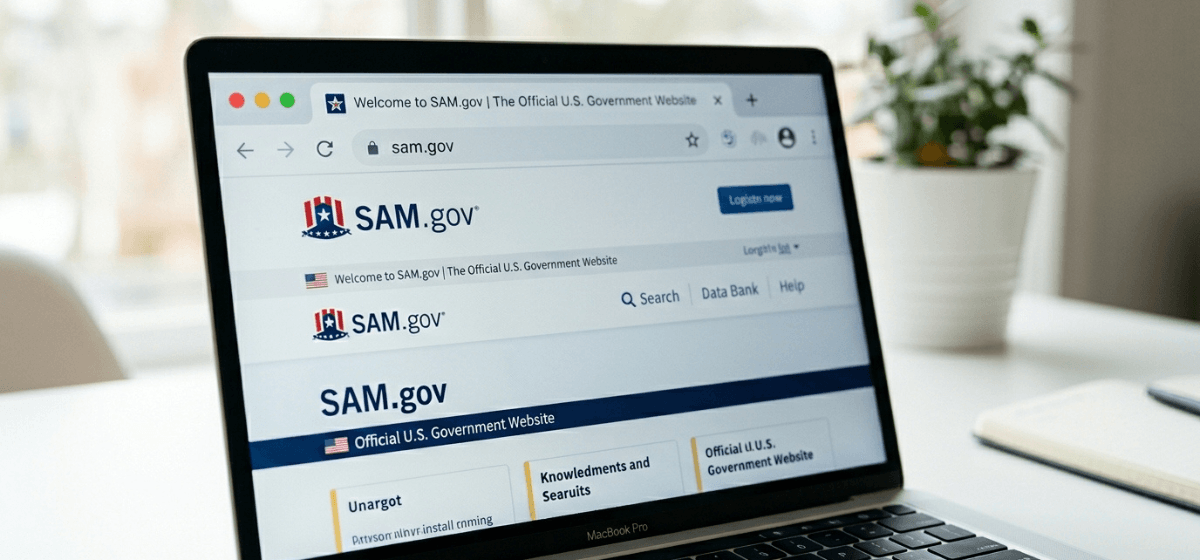
- Go directly to sam.gov in your browser — do not click links in emails. Type sam.gov directly into your address bar and log in. Your actual registration status and expiration date are visible in your entity record. If there is a real issue, it will show there.
- Check the sender domain: Official SAM.gov emails come from .gov addresses. Check the full sending address — not just the display name, which can be spoofed.
- Verify the URL before entering credentials: Before typing your Login.gov email and password anywhere, confirm the address bar shows exactly login.gov with a padlock icon. Never enter credentials on any variation of that address.
- Call the Federal Service Desk directly: If you receive a communication claiming to be from SAM.gov support and you are unsure if it is real, call FSD directly at 866-606-8220 to verify. Do not call any phone number listed in the suspicious communication.
What to Do If You Were Scammed
If you believe you have paid a scammer, entered credentials on a fake site, or had your SAM.gov entity record compromised, take these steps immediately:
- Change your Login.gov password immediately at login.gov. If MFA is compromised, reset it as well.
- Log in to SAM.gov directly at sam.gov and review your entity record. Check your banking/EFT information — if it has been changed without your authorization, that is an emergency that requires immediate FSD contact.
- Contact the Federal Service Desk at fsd.gov or 866-606-8220 and report what happened. They can flag your account and assist with any unauthorized changes to your entity record.
- Report the scam to the FTC at reportfraud.ftc.gov. This helps protect other vendors.
- Contact your bank if you made a payment to a scammer. Depending on how payment was made, you may be able to dispute the charge.
Protecting Your Entity Record
Beyond recognizing scams, these ongoing practices reduce your exposure:
- Use a business-controlled Login.gov account with a strong, unique password and a reliable MFA method. See Login.gov basics for SAM.gov vendors for setup guidance.
- Renew your registration on time. Scammers time fake renewal notices to arrive before your expiration date. Renewing early — 60 days before expiration — means you have already completed the process before the scam notices arrive. See the SAM renewal guide.
- Periodically verify your entity record at sam.gov. Check that your banking information, address, and contact details are accurate and unchanged.
- Brief your team. Anyone in your organization who handles vendor compliance should know that SAM.gov is free, that renewal notices requiring payment are scams, and that credentials should never be shared or entered on non-.gov sites.
- Document your credentials securely. Your MPIN, Login.gov email, and SAM registration details should be stored at the organization level — not held only by one person who may leave.
Want to make sure your SAM registration is handled correctly?
SAM.gov registration is free. Keeping it Active, accurate, and secure requires knowing where to look and what to watch for. If you want expert help managing your registration without the risk of errors or scams, our Done-For-You service handles it from start to finish.
Frequently Asked Questions
Does SAM.gov send renewal reminder emails?
Yes — SAM.gov sends automated renewal reminder emails at 60, 30, and 15 days before your registration expiration date. These emails come from .gov addresses and do not request payment. If you receive a renewal notice asking for money, it is not from SAM.gov.
I received a letter in the mail about SAM registration — is it legitimate?
Physical mail scams targeting SAM.gov vendors are also common. Official government renewal notices do not request payment. If a letter is asking you to pay for SAM renewal, it is not from the government — regardless of how official it looks. Verify your registration status directly at sam.gov.
Can I pay someone to handle SAM registration for me?
Yes — there are legitimate third-party services that assist with SAM registration for a fee. The distinction is: a legitimate service helps you complete a free government process. A scam charges you for something the government provides for free and either does nothing or provides no value. Any service that implies SAM.gov itself requires payment is misrepresenting the process.
What is the official SAM.gov website address?
The official address is sam.gov — that is the complete URL. Always type it directly into your browser rather than clicking links in emails. The official Login.gov address is login.gov. Any variation of these addresses is not the official government website.
How do I report a SAM.gov scam?
Report SAM.gov scams to the Federal Trade Commission at reportfraud.ftc.gov. You can also report phishing emails to the Anti-Phishing Working Group at reportphishing@apwg.org. If your SAM.gov entity record was compromised, contact the Federal Service Desk at fsd.gov immediately.