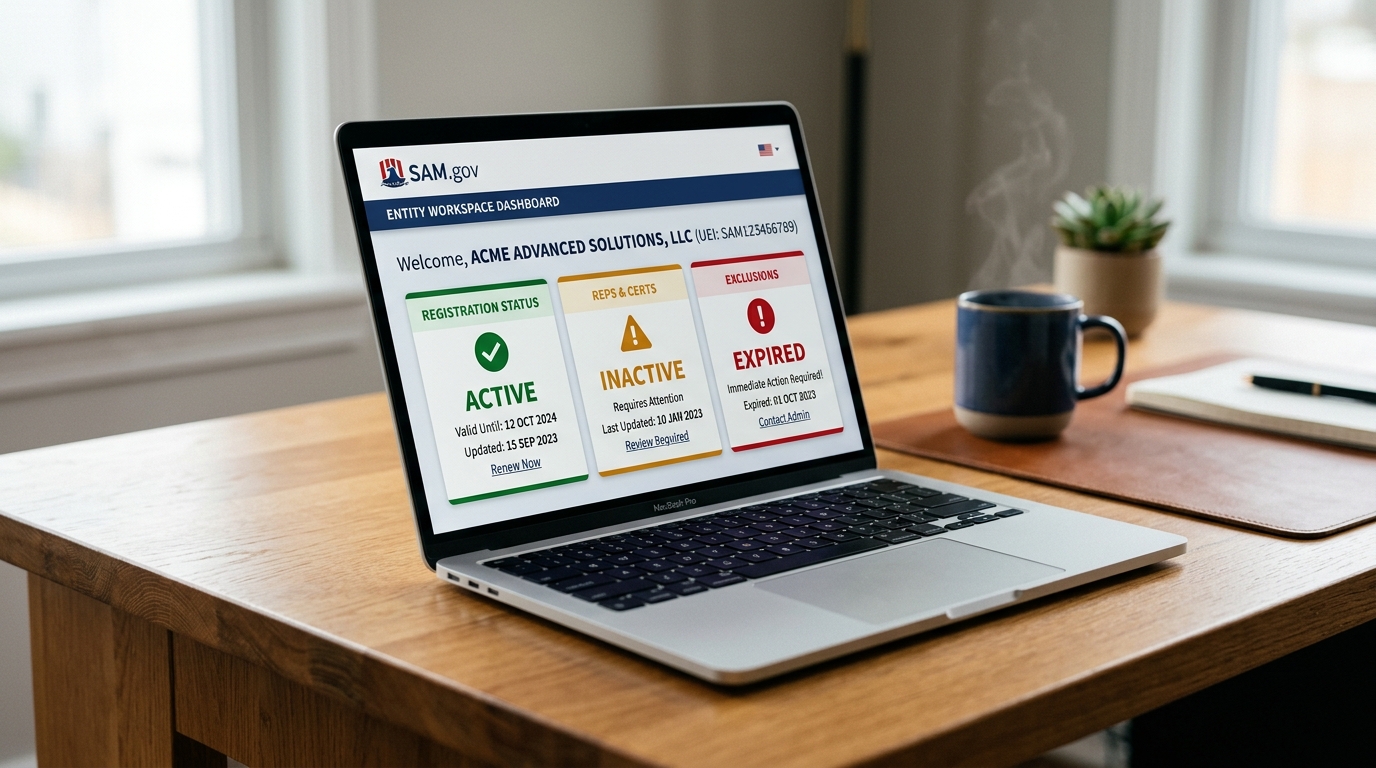
Your SAM.gov registration status determines whether your business is eligible to receive federal awards, grants, and payments. This guide explains what each status means — Active, Inactive, Expired, and others — and exactly what to do if your status is not what it should be.
For the full SAM.gov registration reference, see the SAM.gov registration guide for small businesses. If your registration has lapsed and you need to renew, see the SAM renewal guide.
On this page Jump to section
SAM.gov Status Overview
SAM.gov assigns a status to every entity registration. That status tells the federal acquisition system — and you — whether your registration is complete, current, and eligible for awards. Understanding each status and what triggers it is essential for maintaining uninterrupted eligibility throughout the year.
Registration is complete and current. Entity is eligible for federal awards, grants, and payments. Expires annually.
Registration has lapsed — typically due to missed annual renewal. Entity is not eligible for new awards until renewed.
Registration period has ended without renewal. Similar to Inactive — entity must complete renewal to restore eligibility.
Active Status
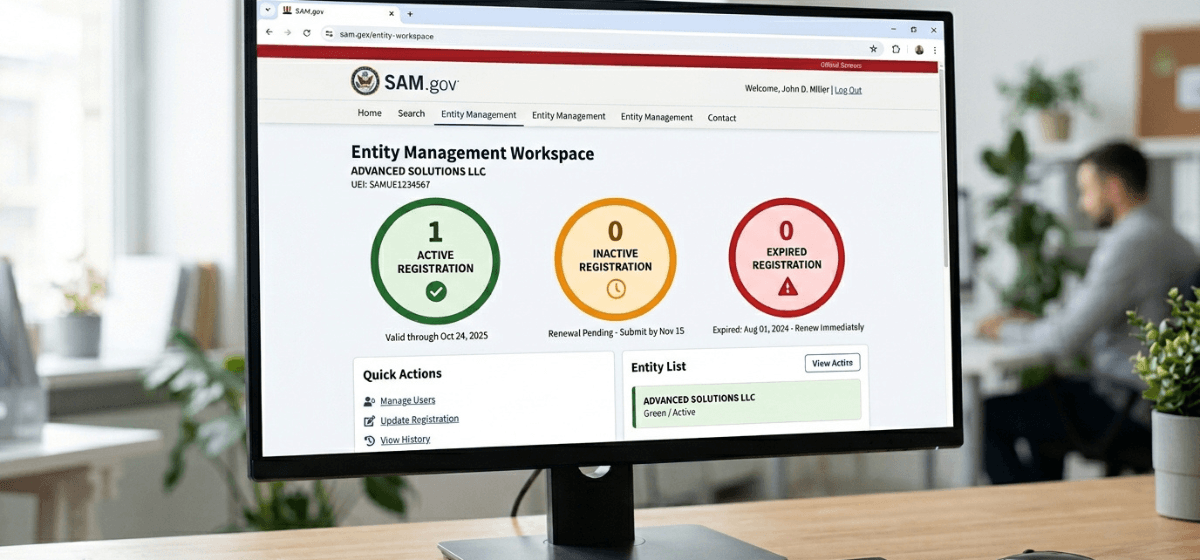
Active is the only status that qualifies your entity to receive federal contract awards, grants, and cooperative agreements. When your registration is Active:
- Your UEI is valid and recognized across federal procurement systems.
- Your entity is searchable by contracting officers and agency buyers.
- You are eligible to submit proposals and receive award payments.
- Your Representations and Certifications are current and on file.
Active status is valid for one year from the date your registration was approved — not from the date you submitted it. SAM.gov sends reminder emails at 60 days, 30 days, and 15 days before your expiration date. Do not wait for those reminders — set your own calendar reminder 60 days before your expiration date and start the renewal process early.
Inactive Status
Inactive means your registration has lapsed — most commonly because the annual renewal was not completed before the expiration date. An Inactive registration has real consequences:
- Your entity is not eligible to receive new federal contract awards or grants.
- Payments on existing contracts may be delayed or disrupted.
- Your entity may not appear correctly in federal procurement systems.
- Contracting officers checking your status before award will see the Inactive flag.
The fix for an Inactive status is straightforward: complete the annual renewal process in SAM.gov. See the SAM renewal guide for the full step-by-step process.
Expired Status
Expired is functionally similar to Inactive — it means your registration period has ended. The distinction between Inactive and Expired can vary depending on how SAM.gov displays your entity record, but the practical result is the same: your entity is not eligible for awards and must be renewed to restore eligibility.
If your registration shows as Expired, do not create a new registration. Log in to your existing SAM.gov account and complete the renewal process for your existing entity record. Creating a new registration will generate a duplicate record, which can cause complications with your UEI and CAGE code.
Other SAM Status Types
Work in Progress
Your registration has been started but not yet submitted. All required information has not been entered. You can return to SAM.gov and continue where you left off — your draft is saved.
Submitted
Your registration has been submitted and is awaiting processing. This is the normal status immediately after submission. Processing typically takes 7–10 business days for clean registrations. During this period, check your email — SAM.gov may request additional documentation.
Processing
Your registration is actively being reviewed and validated. Entity validation is underway. No action is required on your end unless SAM.gov contacts you for documentation. See the entity validation guide if your registration appears stuck in Processing status for more than 10 business days.
ID Assigned
Your UEI has been assigned but your full registration is not yet complete. This status appears when an entity has requested a UEI only — without completing the full registration required for federal contract awards. If you need to be eligible for contracts, you must complete the full registration from this status.
How to Check Your Current SAM.gov Status
There are two ways to check your registration status — one requires login, one does not.
- Logged in: Sign in to SAM.gov → go to your Entity Registration workspace → your status appears as a widget or badge on your entity record.
- Public search: Go to sam.gov → Search → Entity Information → enter your business name or UEI. Your registration status and expiration date appear in the public entity record.
Your expiration date is also visible in your entity record. Note it and set a calendar reminder 60 days in advance to begin your renewal — not 30 days, not 15. Early renewal prevents the last-minute scramble that leads to gaps in Active status.
How to Reactivate an Inactive Registration
Reactivating an Inactive or Expired SAM.gov registration is the same process as annual renewal. The steps are:
- Sign in to SAM.gov using your Login.gov credentials.
- Go to your Entity Registration workspace.
- Locate your Inactive or Expired entity and select Renew Entity.
- Review and confirm each section — Core Data, Assertions, Reps & Certs, and Points of Contact.
- Submit the renewal.
- Allow 7–10 business days for processing. Monitor your email for any documentation requests.
For the complete renewal walkthrough including what each section requires, see the SAM renewal guide.
Need help getting back to Active status?
If your registration is Inactive or Expired — or if you want to make sure it stays Active without gaps — our Done-For-You registration service handles the renewal process from start to finish.
Frequently Asked Questions
Can I receive payments on an existing contract if my SAM registration goes Inactive?
An Inactive registration can disrupt payment processing on existing contracts. Federal payment systems check SAM status. Renew your registration immediately to prevent payment delays — do not wait until the contract is complete.
How long does it take to go from Inactive back to Active?
Reactivation follows the same timeline as a new registration — typically 7–10 business days for a clean renewal with no documentation issues. Start the process well before you need Active status for an upcoming opportunity.
Will I lose my UEI or CAGE code if my registration goes Inactive?
No. Your UEI and CAGE code are not deleted when a registration lapses. They remain on file. Renewing your registration restores your Active status and reactivates those identifiers in the procurement system.
Does SAM.gov notify me before my registration expires?
Yes — SAM.gov sends automated email reminders at 60 days, 30 days, and 15 days before expiration to the email address on your registration. However, relying solely on those emails is a risk. Set your own reminder and start the renewal process 60 days out.
What is the difference between Inactive and Expired in SAM.gov?
Both indicate a lapsed registration that is not eligible for new awards. The terminology can vary slightly depending on how SAM.gov displays your entity record status. The resolution is the same for both — complete the annual renewal process through your existing account.