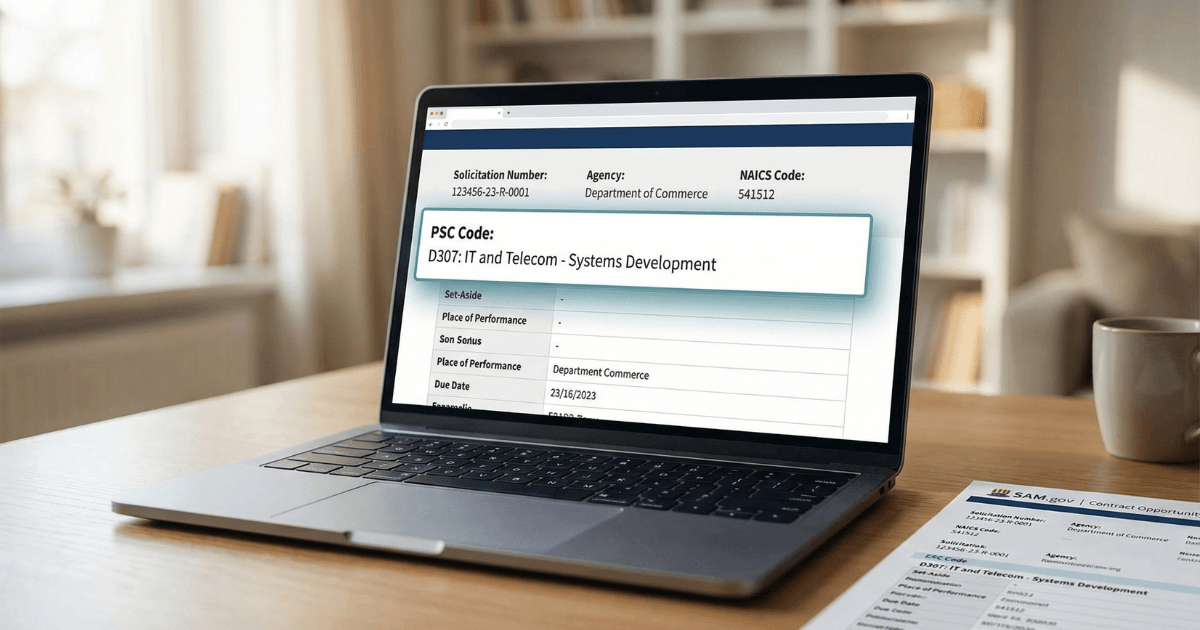
PSC codes appear on every federal solicitation — they classify exactly what is being bought on a specific contract. Understanding what PSC codes are, how they differ from NAICS codes, and where they show up in the procurement process helps you search for more relevant opportunities, read solicitations faster, and conduct sharper market research. This guide covers what PSC codes are, how they work, and how to use them practically as a federal vendor.
New to SAM.gov registration or looking for the complete registration reference? Start with the SAM.gov registration guide for small businesses.
On this page Jump to section
PSC Codes Explained: Quick Answer
A PSC (Product and Service Code) is a four-character code used in federal contracting to classify the specific product or service being purchased on a contract. Unlike NAICS codes, which classify your business, PSC codes classify the transaction — what the government is actually buying. They appear on every solicitation and every contract award in federal procurement.
What PSC Codes Are
PSC stands for Product and Service Code. It is a four-character alphanumeric code that classifies the specific product or service being purchased in a federal transaction. Every solicitation posted on SAM.gov, every contract award in the federal system, and every procurement action reported to USAspending.gov carries a PSC code that describes what was bought.
PSC codes follow a structural pattern: codes beginning with a number (such as 5120 for hand tools, or 8405 for outerwear) generally indicate products or supplies. Codes beginning with a letter (such as R706 for management consulting services, or D307 for IT software development) generally indicate services. The full PSC structure is more nuanced than a simple product/service split — the authoritative reference is the PSC manual published through Acquisition.gov, which defines each code and its correct usage scope.
Every solicitation posted on SAM.gov includes at least one PSC code in the solicitation header, alongside the NAICS code. When you're reading an opportunity, the PSC code tells you precisely what the agency intends to purchase — even before you read the full statement of work.
PSC vs NAICS: The Key Distinction
This is the distinction that trips up most new vendors — and it matters practically for both your registration and your opportunity research.
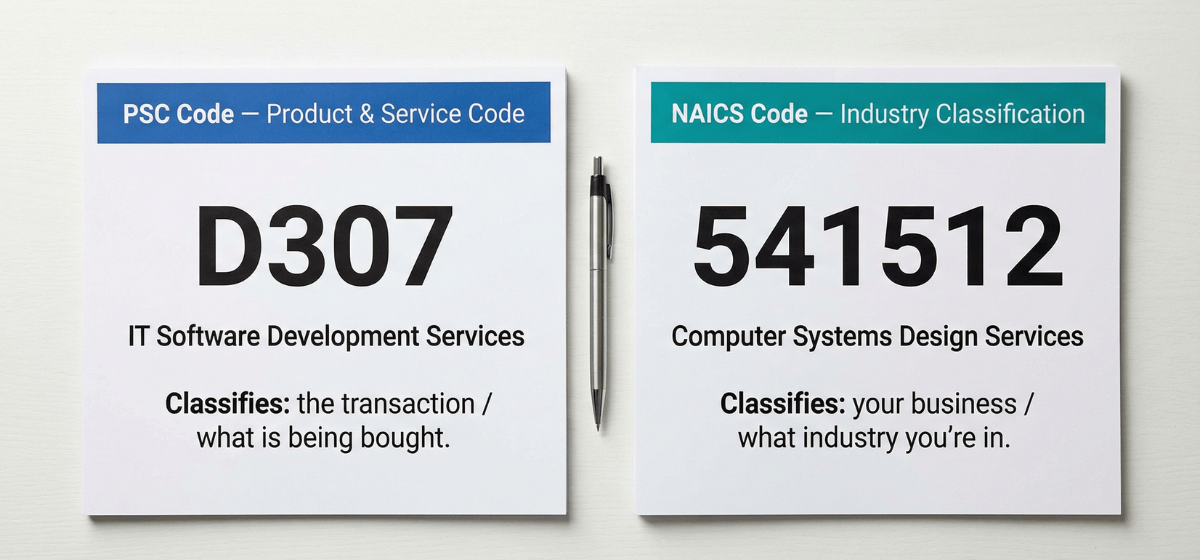
Classify your business
- Describe what industry your business is in
- Determine your SBA size standard for small business eligibility
- Live in your SAM entity registration — persistent across your profile
- Used by contracting officers to find qualified vendors during market research
- You select them — in SAM.gov during registration
Classify the transaction
- Describe what the government is buying on a specific contract
- Have no size standard attached — don't determine eligibility
- Live on individual solicitations and contract award records
- Used to categorize procurement actions and filter opportunity searches
- Contracting officers assign them — you encounter them when reading solicitations
Practical implication for vendors
When you register in SAM.gov, you choose NAICS codes — not PSC codes. PSC codes appear on the solicitations you pursue and the award records you research. When you search for opportunities on SAM.gov, you can filter by both NAICS and PSC — and knowing both makes your searches significantly more targeted and produces far less noise.
For guidance on selecting the right NAICS codes for your SAM registration, including how size standards work, see choosing NAICS codes in SAM.gov.
Where PSC Codes Appear in the Procurement Process
PSC codes appear at multiple points across the federal procurement lifecycle. Recognizing where they show up — and what role they play at each stage — makes you a faster, more capable reader of federal procurement information.
Every SAM.gov contract opportunity includes a PSC code in the solicitation header alongside the NAICS code. The PSC tells you exactly what the agency intends to buy — before you read the full statement of work. It's one of the fastest filters for assessing opportunity relevance.
PSC codes appear on every contract award record in SAM.gov contract data and USAspending.gov. When you research an agency's buying patterns, award history organized by PSC code tells you not just who won, but exactly what was purchased — product, service category, and specificity.
SAM.gov's opportunity search allows filtering by PSC code — one of the most precise filters available for narrowing results to the specific type of work you do. Used alongside NAICS, PSC filtering significantly reduces noise and surfaces the most relevant opportunities. See SAM.gov filters that matter for how to build an effective search workflow.
PSC codes appear on sources sought notices, pre-solicitations, RFIs, RFQs, and RFPs. Tracking the PSC codes on early-stage notices in your target area gives you visibility into upcoming procurement pipelines before formal solicitations are released. See notice types explained for how different notice types work.
Contracting officers use PSC codes when analyzing procurement history, identifying incumbent contractors, and building acquisition strategies. As a vendor, filtering award history by PSC code in USAspending.gov reveals which agencies buy your specific product or service category, at what values, and how frequently.
How to Use PSC Codes Practically
Finding the PSC codes relevant to your work
Think about what you actually deliver on a contract — not what your business does broadly, but the specific product or service a buyer receives. Then:
- Search the PSC manual through Acquisition.gov using keywords that describe the deliverable — not the company or its capabilities in the abstract
- Look at past award records in SAM.gov contract data or USAspending.gov for contracts similar to what you pursue — the PSC code on those awards is a strong, validated indicator of the correct code for your work
- Check the PSC codes listed on solicitations you've previously reviewed or bid on — this is often the fastest way to confirm you're using the right codes
Using PSC to sharpen opportunity searches
In SAM.gov's opportunity search, PSC is available as a filter option alongside NAICS, set-aside type, and place of performance. Filtering by PSC in addition to NAICS narrows results to opportunities that are precisely classified for the type of work you do — significantly reducing the volume of irrelevant results you have to sort through.
If you're not finding relevant results with NAICS alone, adding a PSC filter often surfaces opportunities that NAICS-only searches miss — especially in service categories where NAICS codes are broader than the PSC classification.
Using PSC for competitive intelligence
Search award history in SAM.gov contract data and USAspending.gov filtered by PSC code plus target agency. The results reveal incumbents, award values, contract types, and award frequency for your specific product or service category — all essential inputs for building a focused target agency list.
Once your registration is Active and your NAICS codes are aligned, the next step is making sure your full SAM profile — narrative, keywords, and classification — works as effectively as possible for buyer discovery. See SAM profile optimization for buyer visibility for the full profile alignment workflow.
PSC Codes: What Vendors Actually Need to Know
You don't need to memorize the PSC manual. Here's what matters for practical federal contracting:
Frequently Asked Questions About PSC Codes
What is a PSC code?
A PSC (Product and Service Code) is a four-character code used in federal contracting to classify the specific product or service being purchased on a contract. PSC codes appear on solicitations, contract awards, and procurement records. They classify the transaction — what the government is buying — not the vendor or the vendor's industry.
What is the difference between PSC and NAICS codes?
NAICS codes classify your business by industry and determine your size standard for small business eligibility. PSC codes classify what is being purchased on a specific contract. NAICS codes live in your SAM vendor registration and persist across your profile. PSC codes live on individual solicitations and award records — you encounter them when reading opportunities and researching award history.
Do I need to enter PSC codes in SAM.gov?
No. PSC codes are not entered in your SAM entity registration. You select NAICS codes for your SAM profile. PSC codes are assigned to solicitations and contracts by contracting officers — as a vendor, you use them when reading solicitations, filtering opportunity searches, and researching award history.
How do I find the PSC codes relevant to my work?
Look at past award records in SAM.gov contract data or USAspending.gov for contracts similar to what you pursue — the PSC code on those awards is a strong indicator of the correct code for your work. You can also search the PSC manual through Acquisition.gov by keyword. Checking the PSC codes on solicitations you've previously reviewed is often the fastest validation method.
Can I filter SAM.gov opportunities by PSC code?
Yes. SAM.gov's opportunity search includes PSC as a filter option. Filtering by PSC in addition to NAICS significantly narrows results to opportunities precisely classified for your type of work — one of the most effective ways to reduce noise in opportunity searches and surface relevant bids you might otherwise miss.
Building your federal contracting foundation the right way?
Understanding PSC codes is part of developing the market research fluency that separates vendors who find the right opportunities from those who bid randomly. If you want help building a registration and profile strategy aligned with your target market — or a done-for-you workflow from start to finish — the options below are your next step.
Author: Biz2Gov Editorial Team · Reviewed by: Former DoD Contracting Officer advisor · Sources: Acquisition.gov PSC manual, SAM.gov opportunities, USAspending.gov